Owners
Income against expenses per branch, collection rate, and where the money is actually going, without waiting for month-end.
Every completed procedure becomes an invoice, every payment lands against a patient, and every expense belongs to a branch. Income, outgoings and what is still owed sit in one ledger instead of a receipt book and a spreadsheet that never agree.
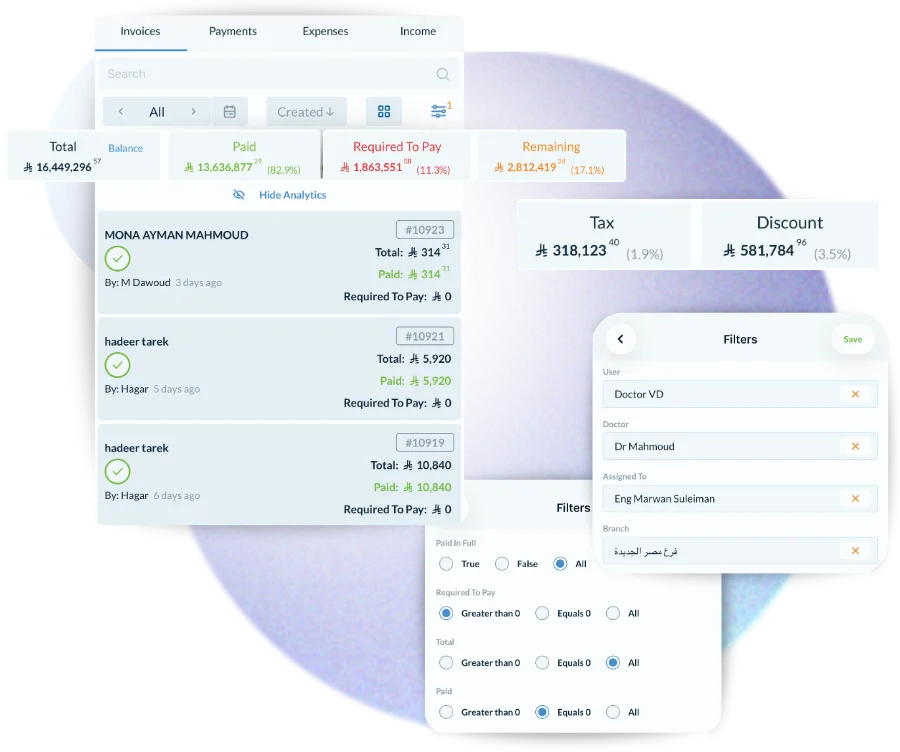
The work recorded on the chart becomes the invoice. Cash, card, insurance or a split across all three — the patient share, the insurance share and any discount are calculated per line rather than worked out at the desk.
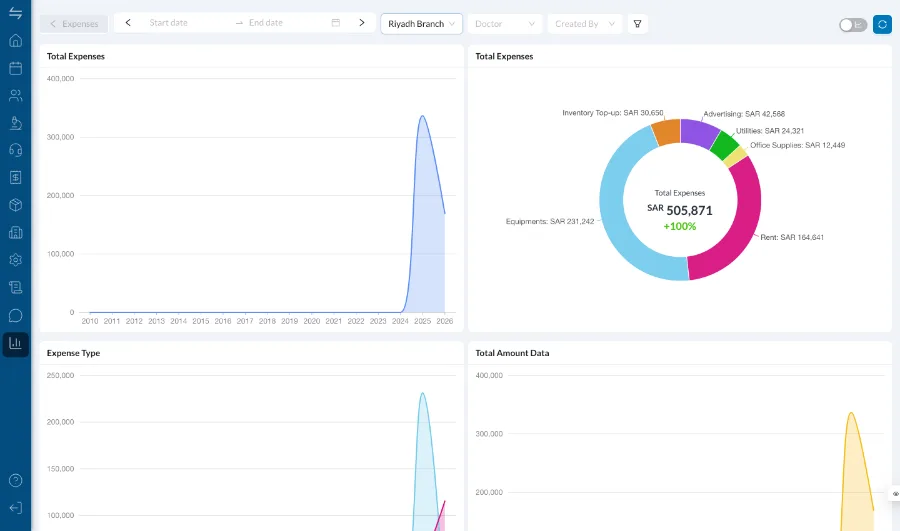
Rent, salaries, supplies and lab fees are recorded against the branch that incurred them, so the number you look at is profit rather than turnover. Expense types are yours to define.
Outstanding balances are on the patient file, on the dashboard and in the reports, so the conversation happens while the patient is still in the clinic rather than six months later.
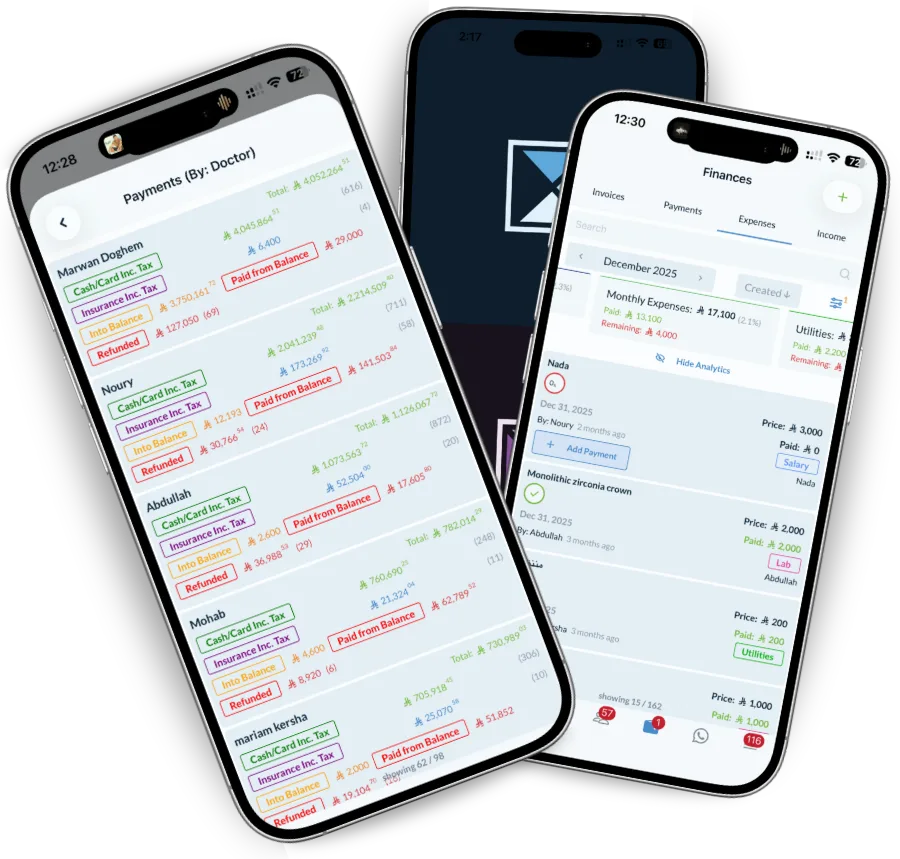
Clinic finance is touched by people who are not accountants, so it has to be safe for them to use and complete enough for the person who is.
Income against expenses per branch, collection rate, and where the money is actually going, without waiting for month-end.
A ledger where every entry links to the treatment behind it, plus exports for whatever your accounting package expects.
Take a payment, split it across insurance and patient, and see the balance update on the file immediately.
The receipt book and the bank never agree, and nobody can say why.
Runs in your browser, no sign-up, and nothing about your patients leaves it.
Yes. Each insurance company can have its own price list and coverage rules, and an invoice splits automatically into the insurance share and the patient share. Claims and their status are tracked in the insurance module.
Yes. Invoices are cleared with the Zakat, Tax and Customs Authority automatically, including the QR code and tax breakdown, and can be issued in Arabic.
Yes. Expenses are recorded by type, supplier and branch, including recurring costs like rent and salaries, so what you see is profit rather than turnover.
From the operations already recorded against each doctor, using the percentage or fixed amount you set per doctor or per procedure. Nothing is re-entered.
Yes. Invoices, payments and expenses export to CSV and Excel, and the reports can be filtered by branch, doctor and date range before exporting.
Track cash, bank and card accounts across branches, assign every transaction to a person and confirm it with an…
Read moreManage insurers, policies, coverage limits and claims. Dentolize applies the right price list per company and tracks…
Read moreTrack performance, spot problems early and make decisions that grow the clinic. Dentolize reports on revenue,…
Read moreThirty minutes on how your clinic actually runs, not a generic slideshow. We will call you within 24 hours.