Front desk
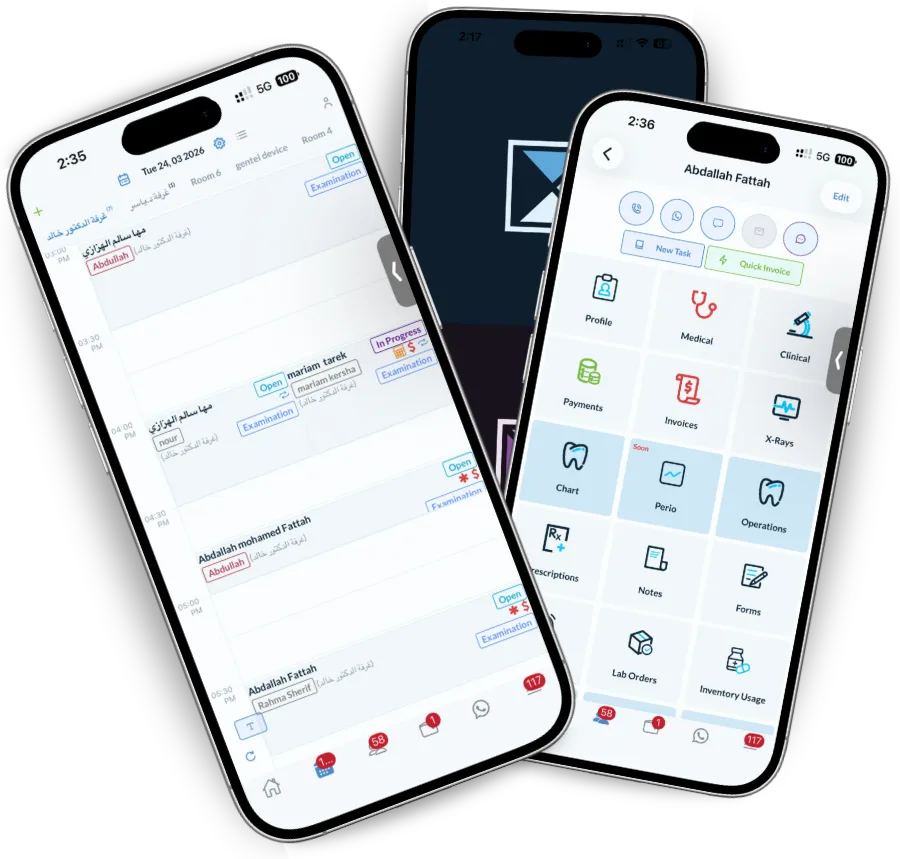
One screen for every room, with the patient file, the balance and the medical alert visible from the appointment.
Every room and every doctor on one calendar, with the patient’s full file one click from the appointment. Bookings arrive from WhatsApp and your website straight into the schedule, and the follow-up afterwards sends itself.
Rooms across, time down, every doctor in view. Drag an appointment to a different room or a different hour and the patient is told automatically. The status colour tells the front desk who has confirmed, who has arrived and who is in the chair without anyone asking.
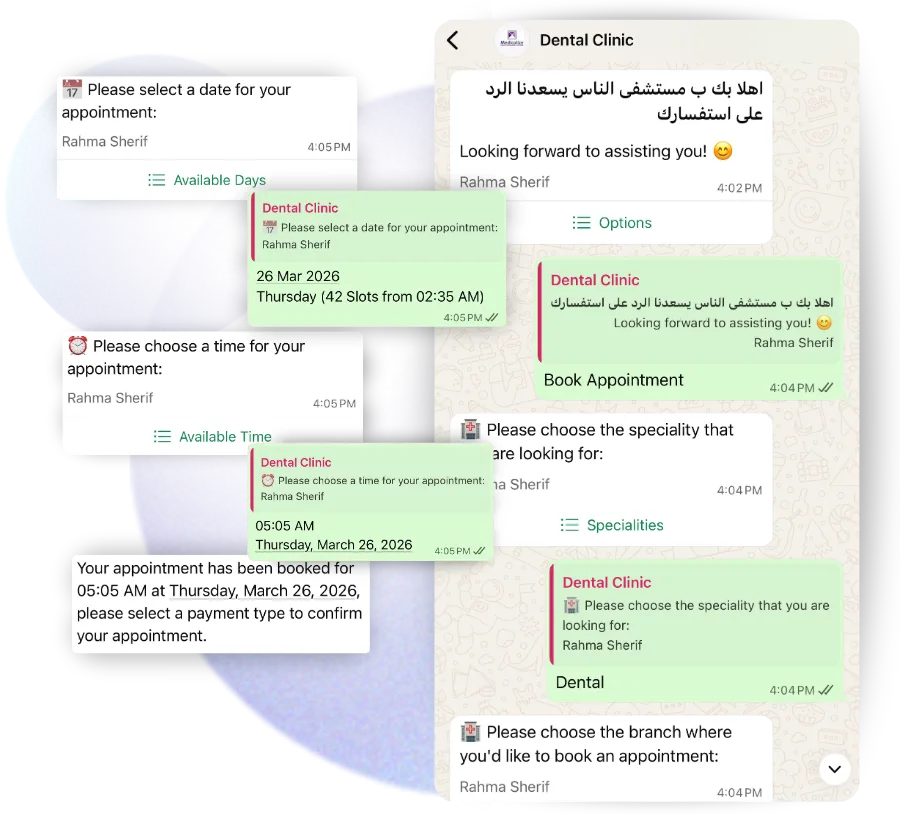
Online booking from your website and from the WhatsApp bot writes into the same calendar, against real availability, with the room and doctor already assigned. Reception stops transcribing appointments and starts checking people in.
A visit triggers what comes next: aftercare instructions, a feedback request, the next appointment in the plan, and a recall six months out. Set the rule once and it applies to everyone.
Scheduling is where a clinic leaks money — empty chairs, no-shows and double bookings — so the calendar has to work for the people touching it all day.
One screen for every room, with the patient file, the balance and the medical alert visible from the appointment.
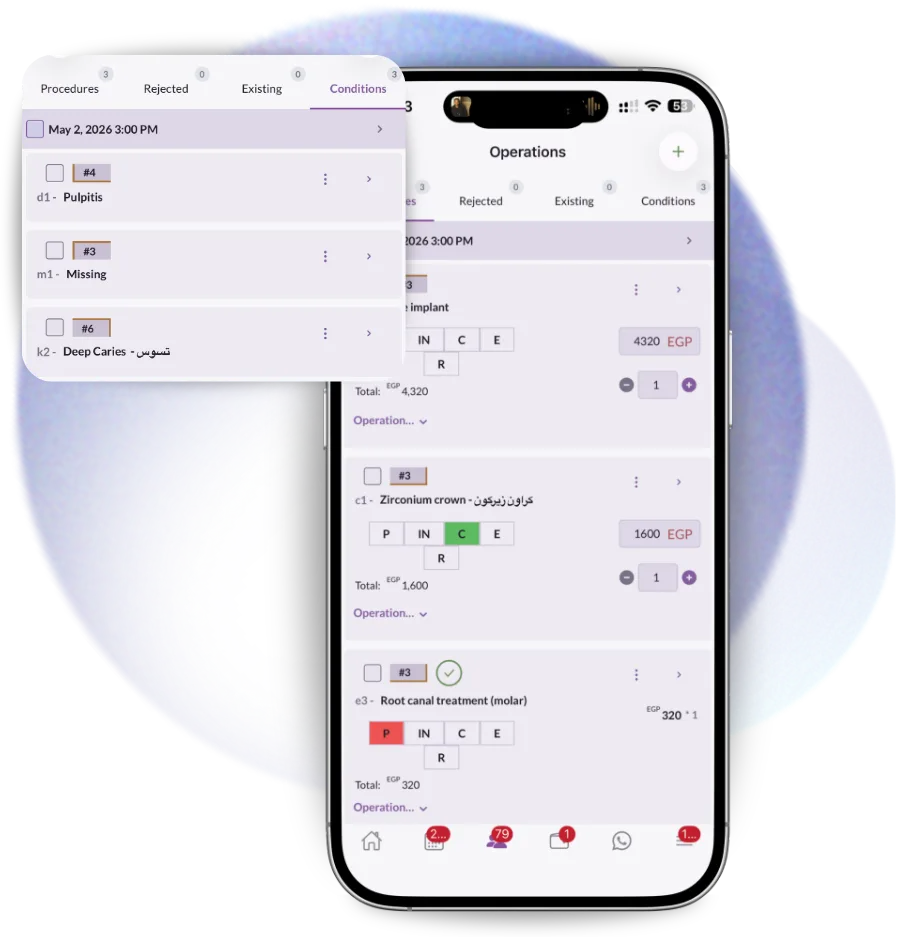
Their own day, their own rooms, and the treatment plan attached to each patient so the next step is already decided.
Utilisation per chair and per doctor, no-show rates, and the free time that could still be sold this week.
The diary is the one thing every clinic has. It is also the thing that cannot tell you anything afterwards.
No sign-up and no form: the file downloads directly.
Every braces and aligner patient: time against plan, aligner stage, missed adjustments and instalments behind.
Download free Word · PDFConcern, profile, molar and canine class, overjet, overbite, crowding, midlines, habits, records taken and the options discussed.
Download freeYes, from your website and through the WhatsApp bot. Both read real availability from the calendar and write the booking in with the room and doctor assigned.
Yes. The calendar is laid out by room and by doctor, across branches, and an appointment can be dragged between them with the patient notified automatically.
Confirmations go out when the booking is made and a reminder follows 24 hours before, both with one-tap confirm or reschedule over WhatsApp. No-shows are then tracked per patient so you can see who repeats them.
Yes. Online payment links can be attached to a booking, and the payment lands against the patient’s account rather than in a separate system.
The slot returns to the calendar and can be offered to the waiting list automatically, so a late cancellation does not have to become an empty chair.
Automate patient communication with Dentolize's WhatsApp bot — online booking, appointment reminders, prescription…
Read moreDental CRM software that tracks every lead from first enquiry to booked treatment — source, owner, stage and…
Read moreAutomate reminders, follow-ups, task assignment and notifications. Dentolize runs the routine work of a dental clinic…
Read moreThirty minutes on how your clinic actually runs, not a generic slideshow. We will call you within 24 hours.