Owners
What changed on a file, an invoice or a price, and who changed it.
Every creation, edit and deletion is recorded with the person who made it, the branch and the time. When a price changed, an appointment moved or a record vanished, the answer is in the log rather than in a conversation.
The current state of a patient file tells you what it says today. The log tells you what it said last week and who changed it, which is the question that actually gets asked.
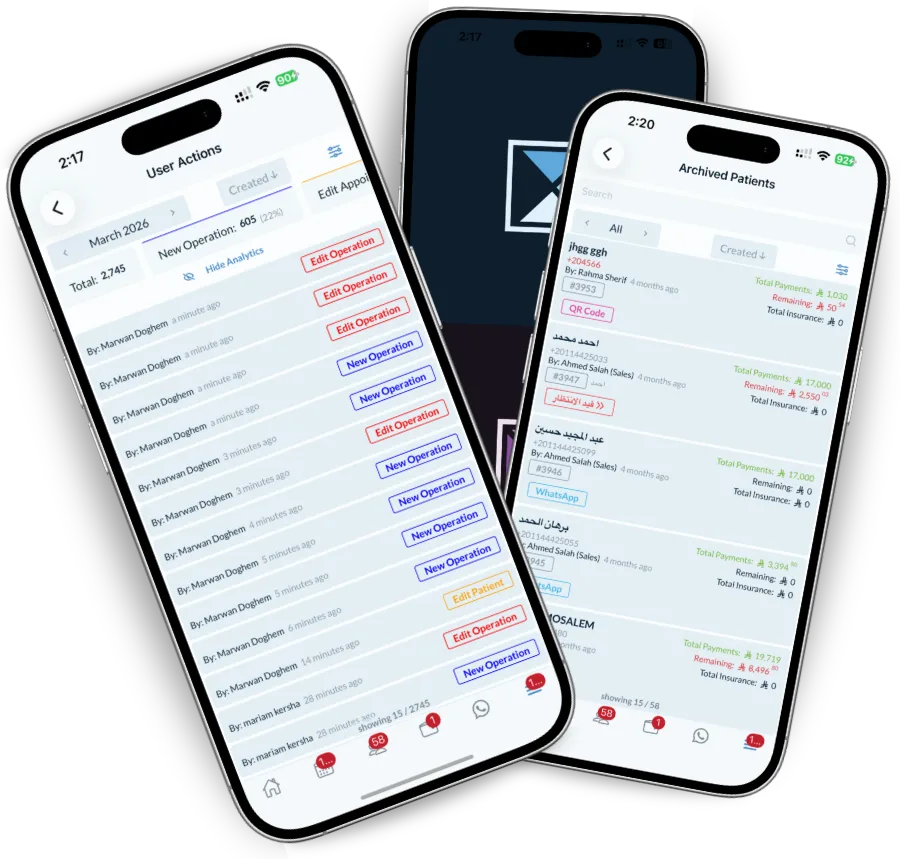
A log without a name on it is a list. Every entry carries the user, their role, the branch and the timestamp, so the record answers who as well as what.
Logins, failed logins, active sessions and permission changes sit beside the clinical and financial activity, because the useful question usually spans both.
Nobody reads an audit log until they need one, at which point nothing else will do.
What changed on a file, an invoice or a price, and who changed it.
Whether a cancellation, a discount or a deletion followed the process.
An exportable history with attribution, rather than a reconstruction.
Systems without an audit trail force you to trust the current state, and to settle disputes by memory.
Creations, edits and deletions across operations, appointments, patients, invoices, payments, prices and discounts, plus security events like logins, failed logins and permission changes.
Yes, with the previous and new value, the user, the branch and the time.
The deletion itself is always logged with who performed it. Whether the record can be restored depends on the type — ask us about your specific case during setup.
Yes, by user, action type, branch and date range, and the result can be exported.
Access is set by permission group, so it can be limited to owners and administrators rather than being open to the whole team.
Track attendance, measure staff performance, control permissions and manage several branches. Dentolize gives clinic…
Read moreOne patient file with medical history, dental chart, x-rays, invoices, payments and consent in one place. Dentolize…
Read moreTrack performance, spot problems early and make decisions that grow the clinic. Dentolize reports on revenue,…
Read moreThirty minutes on how your clinic actually runs, not a generic slideshow. We will call you within 24 hours.