Implant inventory and lot tracker
Implants are the most expensive thing on the shelf and the one item a manufacturer can recall by lot. This workbook keeps stock by size and lot, takes each placement off by itself, and answers the recall question in one cell: which patients got an implant from this lot?
Download
FreeNo sign-upDownloads directlyExcel and Google Sheets
What is inside
| Settings | Your implant systems and surgeons, the stock date, and how many days ahead to warn of expiry (90 in the sample, red under 30). |
|---|---|
| Catalogue | Each reference once: system, diameter, length, unit cost and reorder level. On hand, usable (in date), placed to date, stock value and a reorder flag are worked out. |
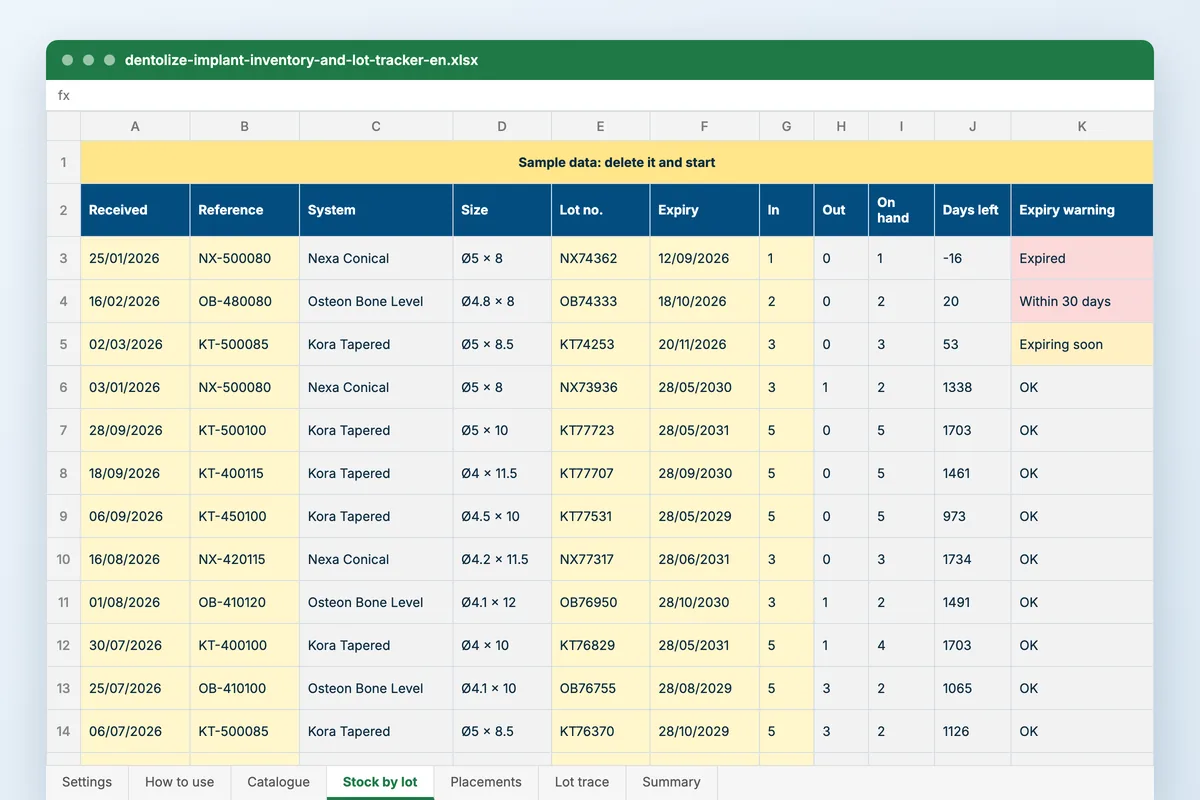
| Stock by lot | One row per lot received: date, reference, lot number, expiry and quantity, plus any written off or returned. What was placed comes off by itself; days to expiry and a warning follow. |
| Placements | The surgical log: date, patient, tooth in FDI, reference, lot, surgeon and notes. The lot’s expiry is looked up, and an unknown lot or one out of date on the day is flagged. |
| Lot trace and Summary | Type a lot number to list every patient who received one. The summary gives units and value on hand, lots expiring within the window, expired stock still on the shelf, and the references to reorder. |
How to use it
Build the catalogue
Each size you stock once, with its cost and reorder level.
Log deliveries by lot
A row per lot: reference, lot number, expiry and quantity.
Log every placement
Patient, tooth, reference and the lot from the sticker, after each surgery.
Check the summary weekly
Expiring lots, anything expired, and what to reorder.
Who it is for
Implant surgeons, practice managers and the nurse who keeps the implant cabinet. It opens on a clinic placing a dozen or so implants a month across three fictional systems. Three lots sat at the back while newer boxes were used: one has expired with a unit still on the shelf and two run out within the window. Two sizes have run out altogether, and the trace sheet opens on a box of ten that went into ten patients.
Read next
Inventory
Stock deducted automatically as procedures complete, plus expiry tracking, reorder alerts and purchase orders. Accurate without a stock take.
Read more From the blogDental implant tracking: the implant is a part with a number, the case is a path with stages
A patient comes back after three years with a loose implant and asks about the warranty. Which implant? Which brand? Which lot? Who placed…
Read moreMore free files
Questions
Why record the lot of every implant?
Because manufacturers recall implants by lot, and a sticker in the paper notes cannot be searched. With the lot on each placement, the trace sheet lists the patients in seconds.
Can I add abutments and healing caps?
Yes. Add them to the catalogue with their own reference. Anything with a lot number and an expiry works the same way.
Does it work in Google Sheets?
Yes. Upload it to Google Drive and open it with Google Sheets. It uses SUMIFS, COUNTIFS, INDEX and MATCH, which both handle.
Is my data stored anywhere?
No. The file is yours, on your computer or your own Drive. Nothing you type reaches Dentolize.
Stock that comes off when the implant goes in
Dentolize deducts materials as procedures are completed, holds expiry dates per batch, and warns you before an item expires or reaches its reorder level.